Joins you can read.
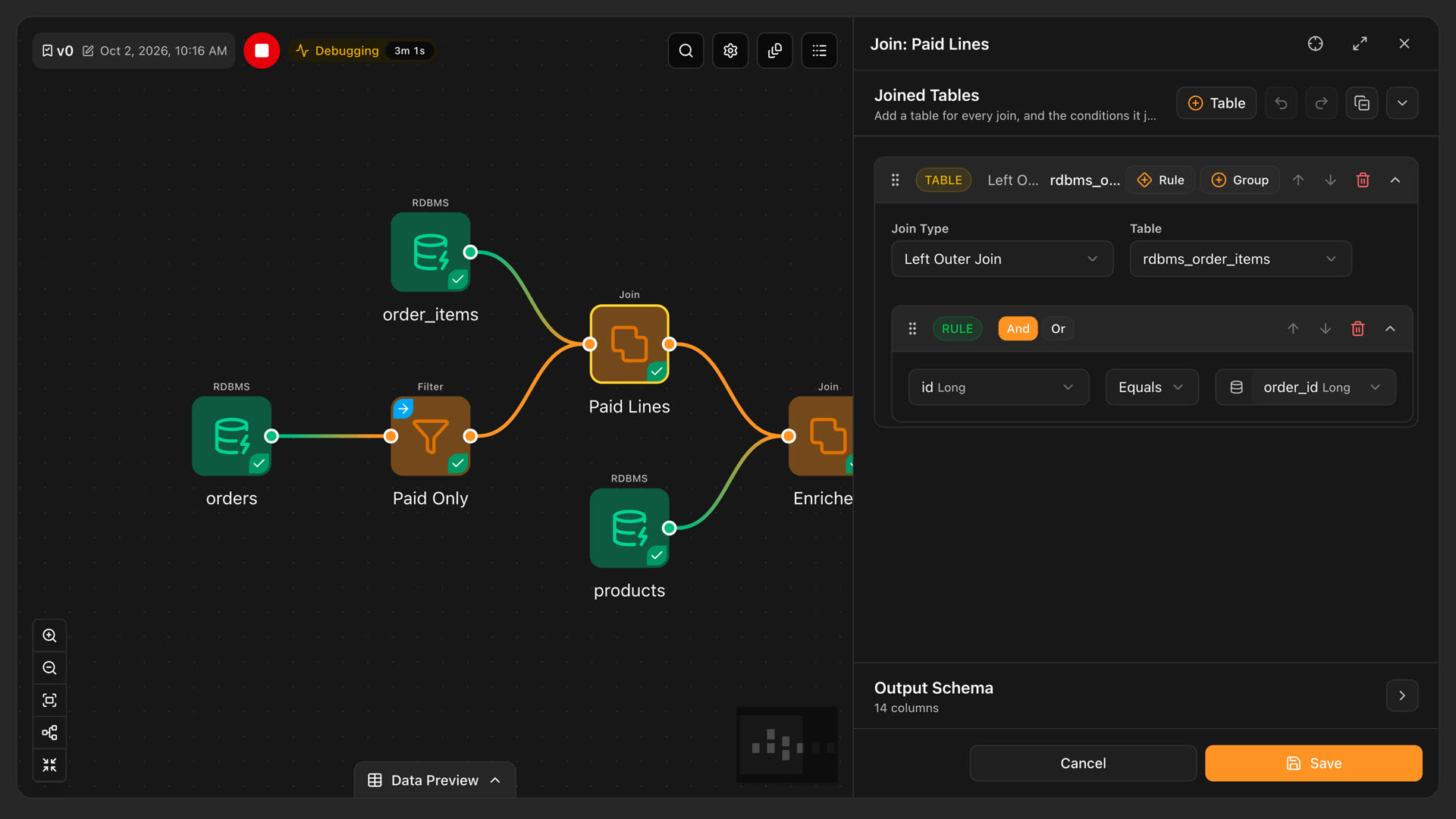
Add a table, choose the join type, and build the condition from rules and groups. Each column shows its type next to its name, so a key mismatch is visible before it reaches the engine.
DataFloem is a data platform built on Apache Spark and Kubernetes. It connects your sources, shapes the data with visual jobs or code, runs them on your own clusters, keeps the results in governed catalogs and records who did what. Here is what each layer does.
Features marked Enterprise come with an Enterprise Edition license. Compare the editions
Bring scattered systems into one place: from legacy databases to object storage, lakehouse catalogs and NoSQL. Each connection is added once, tested, and shared only with the projects that need it.
PostgreSQL, Oracle, SQL Server, MySQL, Teradata, Vertica, ClickHouse, Trino, Azure SQL and Azure Synapse.
BigQuery, connected with a Google Cloud service account.
Amazon S3 and S3-compatible stores such as MinIO and Ceph, with path-style access and a root directory of your choice.
Azure Blob Storage and Data Lake Storage Gen2 through Microsoft Entra ID, and Google Cloud Storage through a service account.
MongoDB and Elasticsearch, with SSL/TLS where the server asks for it.
Iceberg REST, JDBC and file catalogs, so your tables stay in open formats any engine can read.
A job is a flow on a canvas: sources, transformations and targets, run on Apache Spark. Teams build new integrations without writing them from scratch, and each node opens a typed form, so mistakes show up while you build, not when the job runs.
Add a table, choose the join type, and build the condition from rules and groups. Each column shows its type next to its name, so a key mismatch is visible before it reaches the engine.

Every job keeps versions, each a full copy of its canvas. Change a pipeline safely while the default version keeps running, and see who made each version and where it came from.
Static or expression values, used in any field as $$name. Expressions are evaluated when the job runs.
When a step is easier to write than to draw, write it as a query or a Python script and declare its output.
Every run reports each step's status, message, attempt and timing, with the stack trace when one fails. Click a step to find its node.
The first person to edit a job locks it, so teammates never overwrite each other's work. Only the lock owner or an administrator can release it.
Copy a job to start a new one, or export a job or a single version to a file and import it into another environment.
In the docsJobs Versions Parameters Run logs Locked jobs
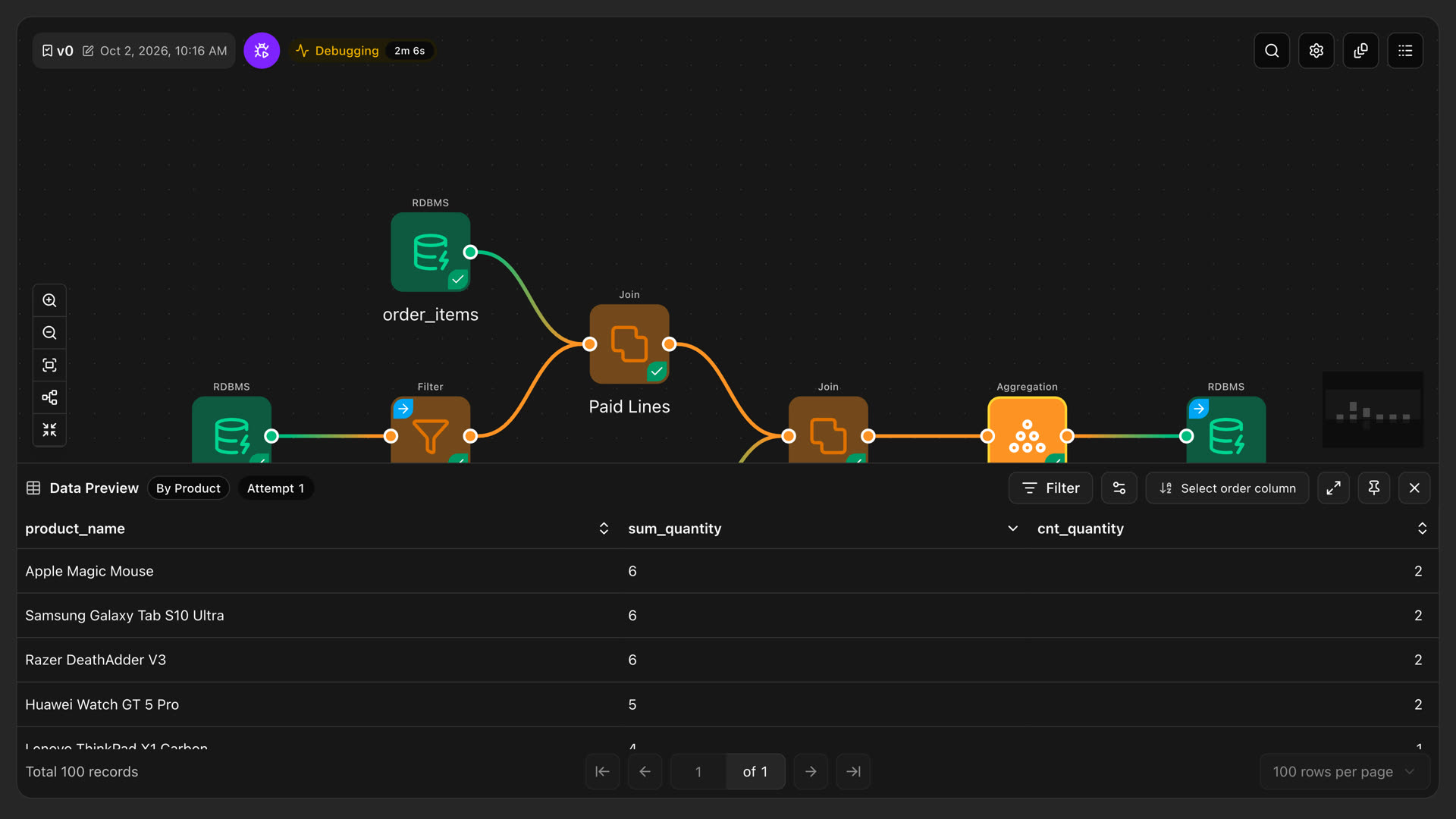
Run the job up to the node you are working on and open its rows in place. Filter, sort and page through the result without leaving the canvas.

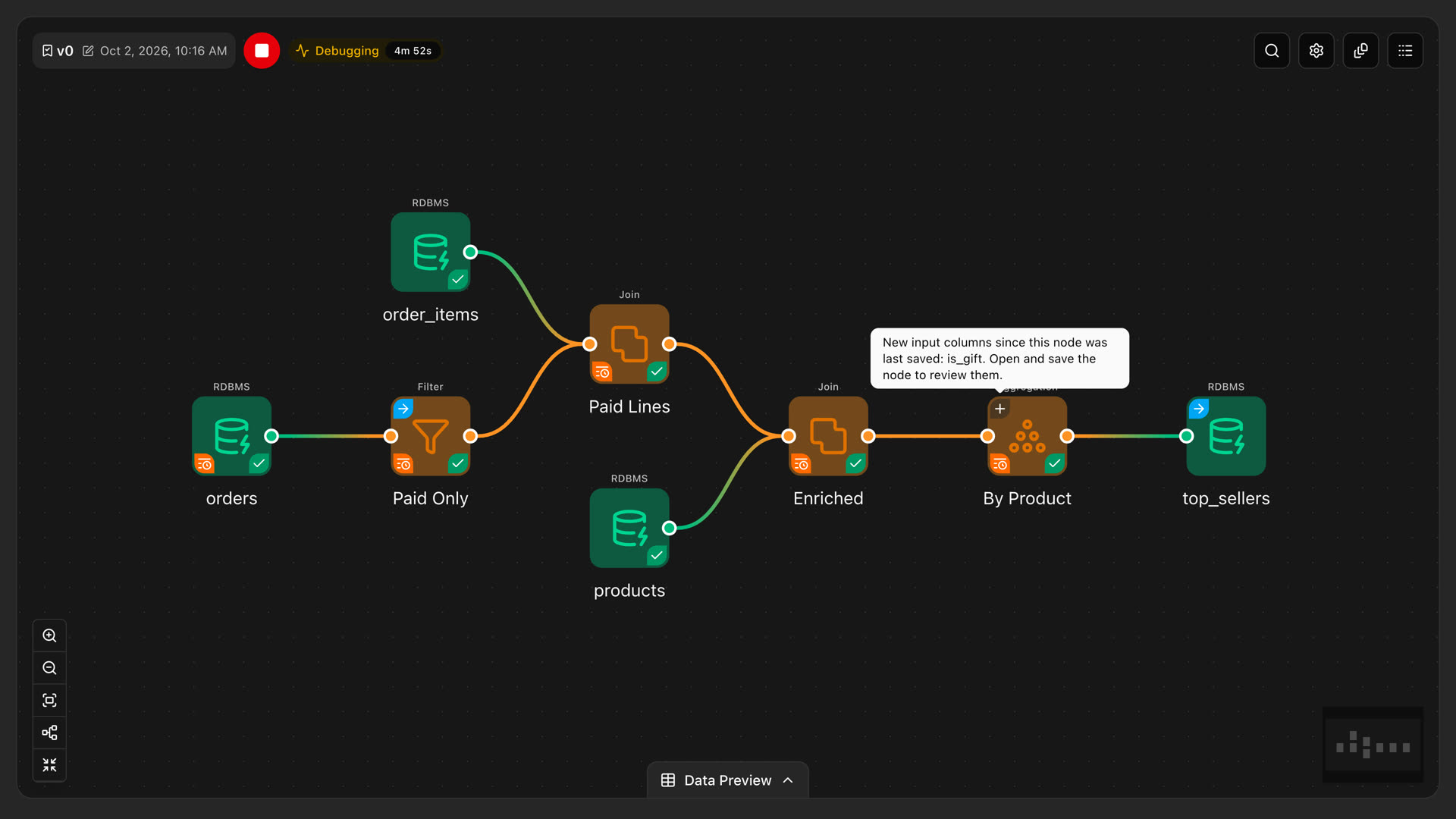
With dozens of sources changing on their own schedules, schema changes are a daily fact. Every node remembers the columns it was saved with, and when a source gains, loses or retypes a column, DataFloem marks only the nodes it reaches.
If a column only changed position, DataFloem fixes the reference for you. Nodes whose output could change get a marker that names the exact columns.
Column ids that only moved are repaired for you. Nodes whose meaning could change get a marker, with the exact column names in the tooltip.
Open the node and choose: adopt the new columns into its output, or keep them excluded. A full run warns you while reviews are still open.

For ML feature preparation, custom integrations or anything the canvas does not cover, write Python in Jupyter Lab, package it as an image and run it on your own Kubernetes cluster, with the same connections and access rules as your jobs.


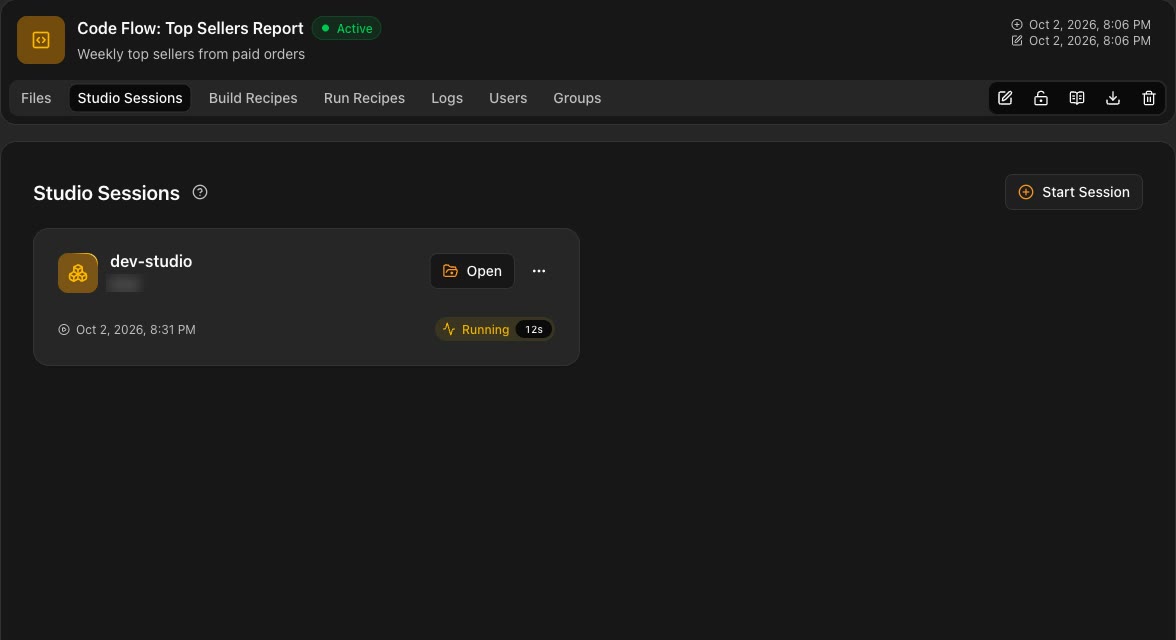
Save Python scripts and the files they need from a Studio session straight to the Code Flow.
Start a Jupyter Lab on a cluster and open it next to the Code Flow, so data scientists work in the tools they know.
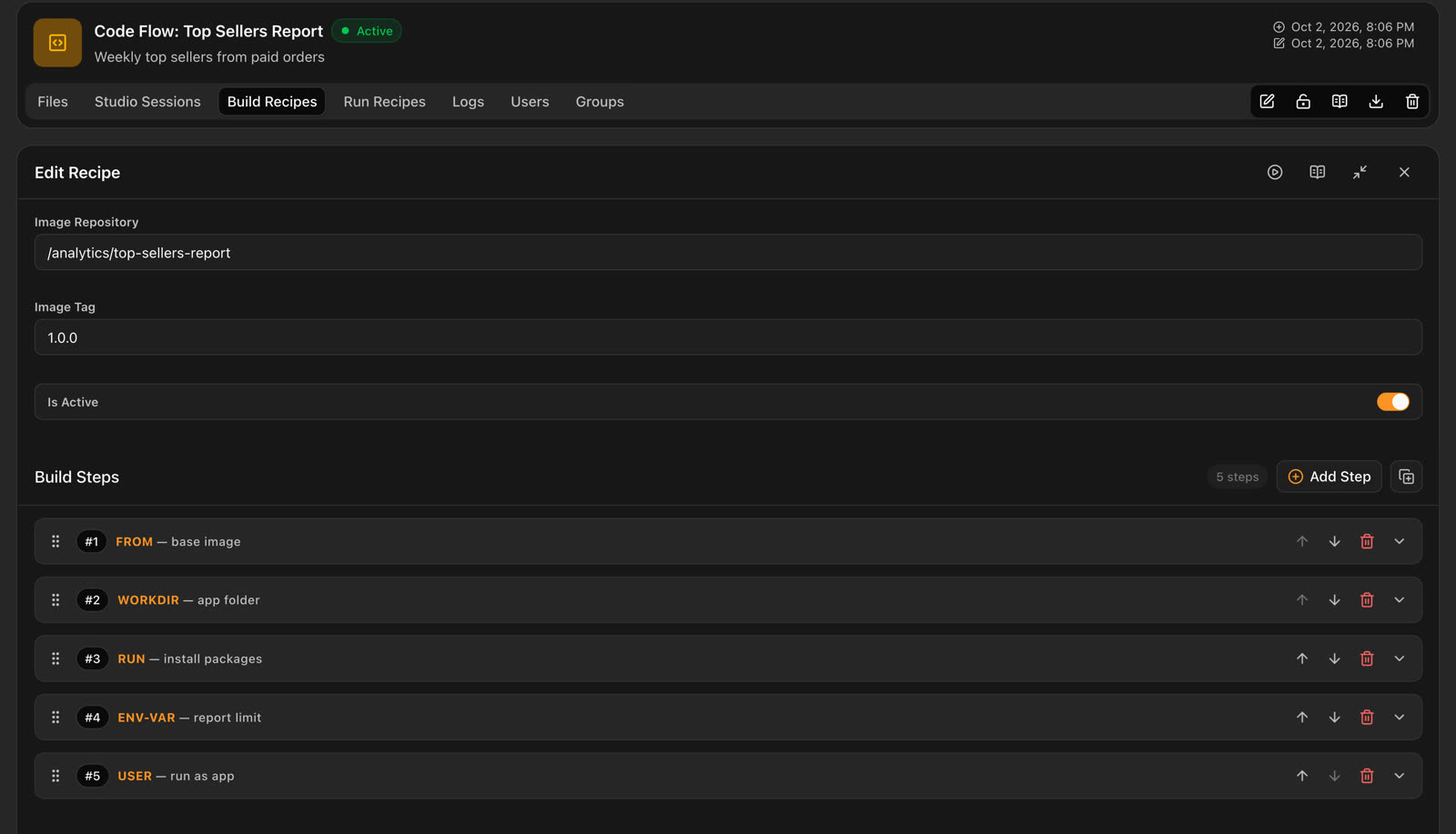
Package your code as a container image in ordered steps, built by an agent on your own server, so code never leaves your environment.
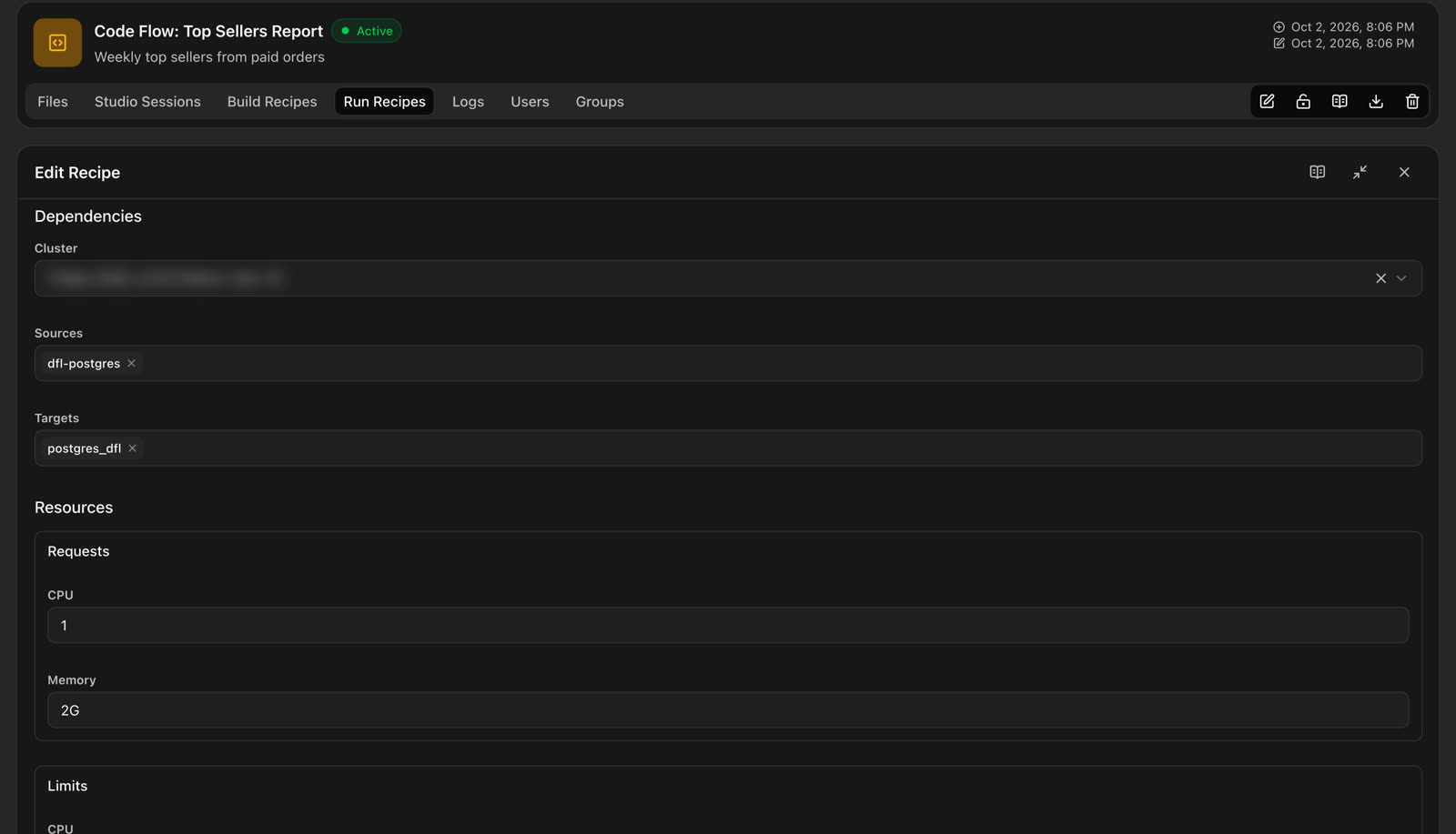
Run a built image on a cluster with the project's sources and targets, environment variables, and CPU and memory requests and limits.
Agent builds, Studio sessions and runs each keep a log with their status and duration.
A Code Flow locks on its first edit, like a job, until its owner or an administrator releases it.
In the docsCode Flow files Studio sessions Build Recipes Run Recipes Code Flow logs
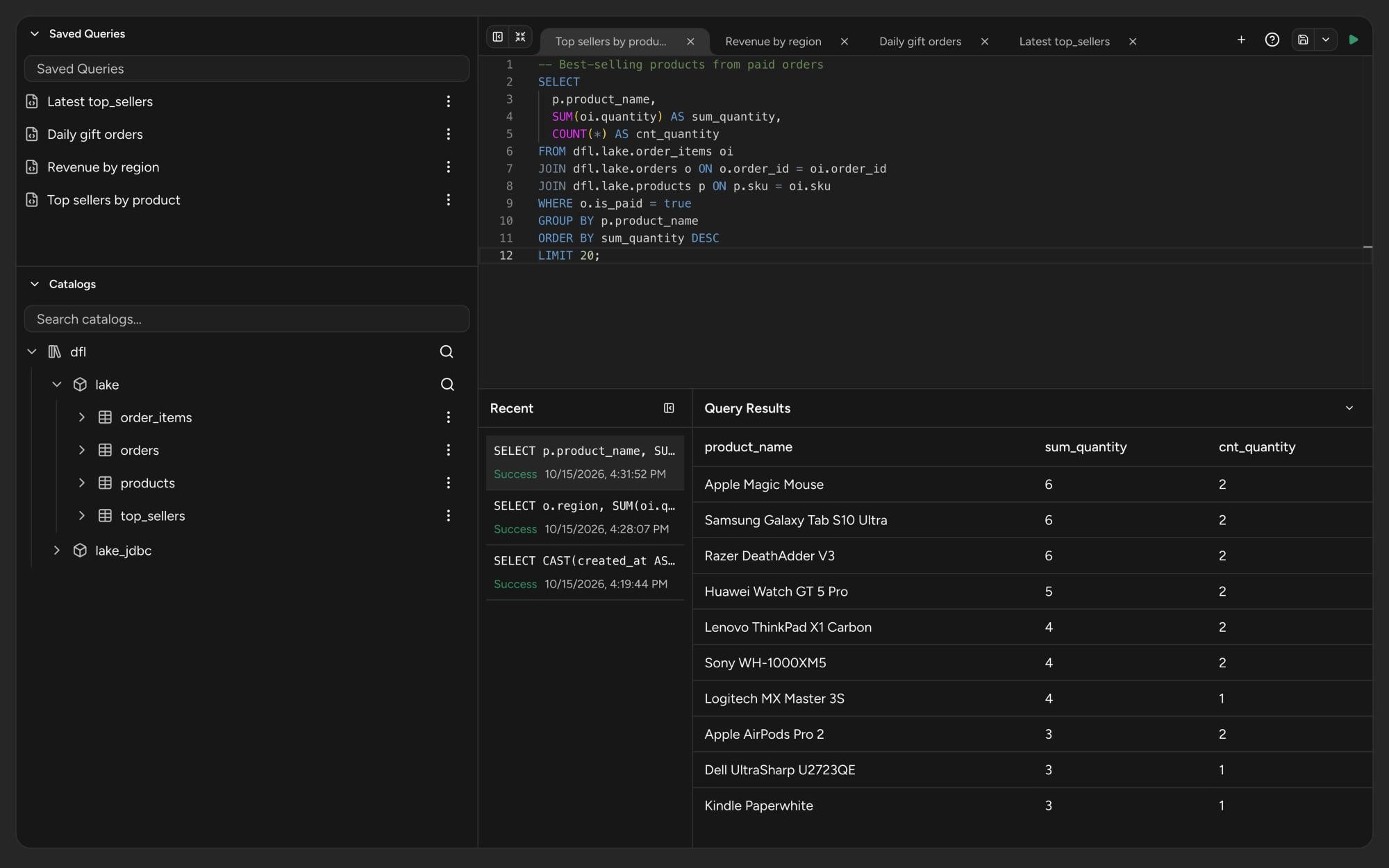
Analysts and engineers query the same governed tables from the same workspace. Browse the catalogs in a tree, open a table in a new tab and run the query on the cluster you pick.

In the docsSQL queries
Your tables live in open formats like Iceberg, organized in catalogs that jobs write to, analysts query and AI projects draw from. Access rules decide who can see each catalog, namespace and table.
Serve each catalog over Iceberg REST, so other engines can read the same tables. Compaction and snapshot cleanup keep them fast, with a default warehouse per catalog.
File or JDBC namespaces, each on a connection with its own properties.
File tables with a format, a location and a schema you build, and JDBC tables picked from a source, several at a time.
Allow or deny actions on a catalog, a namespace or a table, with wildcards and a priority that settles conflicts.
Group policies into roles that match how your teams work.
Give a role to a user or to a group.
In the docsCatalogs Catalog namespaces Catalog tables Policies Roles Bindings
DataFloem is cloud-native and self-hosted. Install it wherever Kubernetes runs: a public cloud, a private cloud or your own data center. Jobs run on Apache Spark across your clusters, scale with the work, and your data and credentials never leave your environment.
Dynamic clusters that scale with the work and stop when idle, so you pay only for what runs. Or static clusters for steady loads. Set the image, CPU and memory of each pod.
Profiles of shared variables and secrets that inherit from a parent and override only what differs.
Jupyter Lab or VS Code workspaces with their own CPU and memory, behind NGINX or Traefik ingress.
The images your clusters and Run Recipes use, from private, public or cloud registries.
Agents on your own servers build Code Flow images and stream the log back as they work.
Clusters and Studios are assigned to the projects that use them, or requested and approved as a task.
In the docsClusters Cluster configurations Studios Images Agents
Namespaces hold folders, folders hold projects, and projects hold the work and the resources it may use. Every module has its own permissions for users and groups.
Keep environments, teams or customers apart. New users, and first-time LDAP or SSO users, start in the default namespace.
A project brings together its jobs, Code Flows and SQL queries with the sources, targets, catalogs, clusters and Studios assigned to it.
For each module, give users and groups the right to view, create, change, delete and manage access. A user's rights are the sum of their groups' rights.
Sign in against your directory over LDAPS or StartTLS, with group mapping and an allowed-groups list. Passwords are never stored.
Google, Okta, Microsoft Entra ID or Keycloak over OpenID Connect. Users are created the first time they sign in.
An access request becomes a task for the group that approves it, and stays To Do until it is Done or Rejected.
In the docsNamespaces Projects Users Groups LDAP settings SSO providers Tasks
Every request to DataFloem and every change to its data is logged, ready for compliance reviews. You decide what to track and for how long.
Every API request, with the user, the endpoint, the status code and the time.
Every insert, update and delete in DataFloem's own data, collection by collection.
Keep logs from 0 to 730 days, and turn logging on or off for each module.
Locked jobs and Code Flows are listed in one place, where an administrator can release a lock left behind.
In the docsAudit logs Change logs Log settings Locked jobs
Book a demo and we will walk your team through the parts that matter to you, from the canvas to Code Flows.